APAAR ID Registration 2026 – How to Apply from School or Online
Did you know? Every student in India, from Pre-primary to university, can now have their own unique digital ID called APAAR ID. This ID lets them store, access, and manage their academic records e.g. educational certificates, marks, diplomas, prizes, scholarships, co-curricular achievements and more.
APAAR ID stands for (Automated Permanent Academic Account Registry) ID. It is a unique 12-digit ID, created specifically for Indian students. It is one of the great initiatives by the Ministry of education and the government of India. The National Educational Policy (2020) has launched this as a part of “One Nation, One Student ID” program.
What is APAAR ID?
Features | Description |
|---|---|
Full Form | Automated Permanent Academic Account Registry |
Launched by | Ministry of Education in coordination with government of India |
Launched Date | September 15, 2023 |
Program Name | One Nation, One Student ID |
Who Can Apply | All students across India (Pre-primary to Higher Education) |
Integrated With | Aadhaar, DigiLocker, Academic Bank of Credits (ABC) |
Purpose | Store academic records, track progress, manage credits |
Accessibility | Online via Digilocker or ABC (abc.gov.in) Portal |
Registration | From School or Self registration via Digilocker or ABC Portal |
Number of Registered Students | 30.74 crore |
Official Portal |
How to Get the APAAR ID
Students can get their ID either from their respective institutes or they can also register the ID online through Digilocker or abc.gov.in Portal.
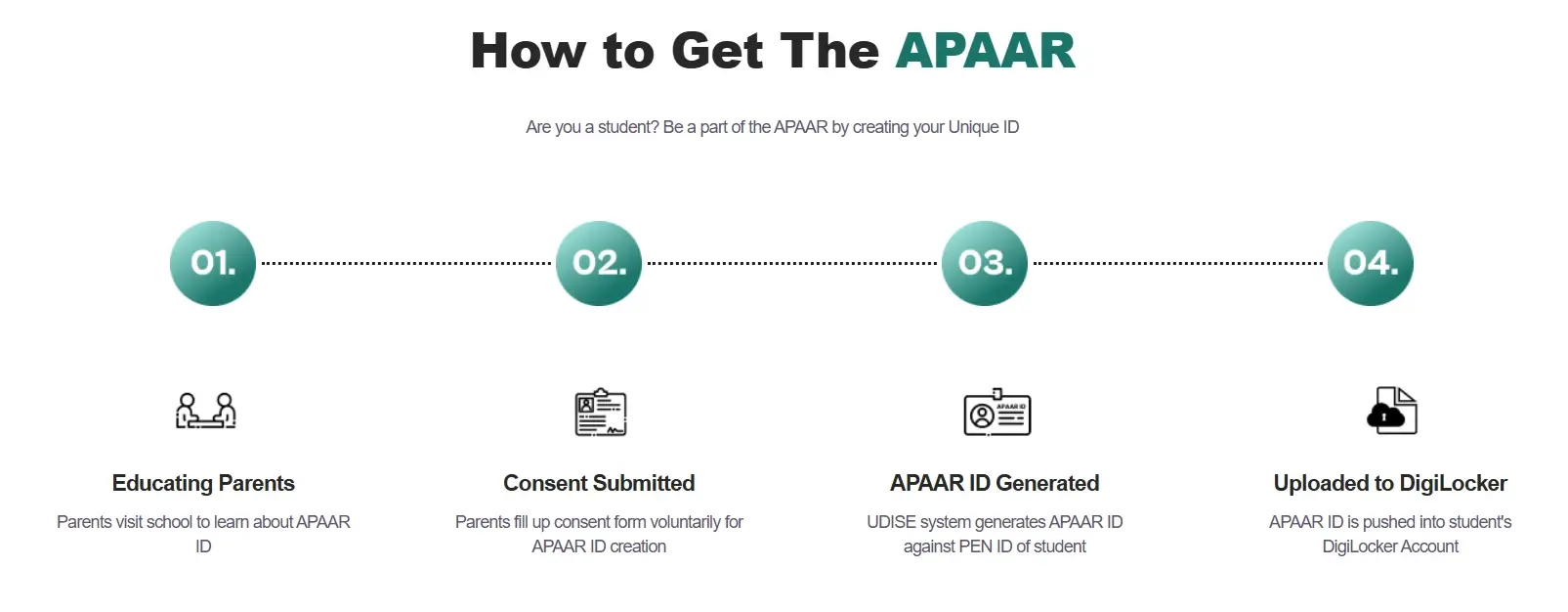
How to Get APAAR ID From School
- Verification: Visit the School of the Student and verify the Personal Details.
- Parental Consent: Parents Must Submit a Parental Consent (In case of Minor Students).
- Authentication: The School will authenticate the identity of the student.
- ID Creation: Once the Identity is Verified by the school the ID will be created, and it will be added to the student’s DigiLocker account.
Required Details
How to Apply for APAAR ID Online
If you are an adult, you can register APAAR ID online through DigiLocker or ABC Portal.
Through DigiLocker Portal
- Visit the DigiLocker Portal by clicking on https://www.DigiLocker.gov.in/.
- Signup to your DigiLocker account using your DigiLocker credentials, verify the “OTP” and proceed.
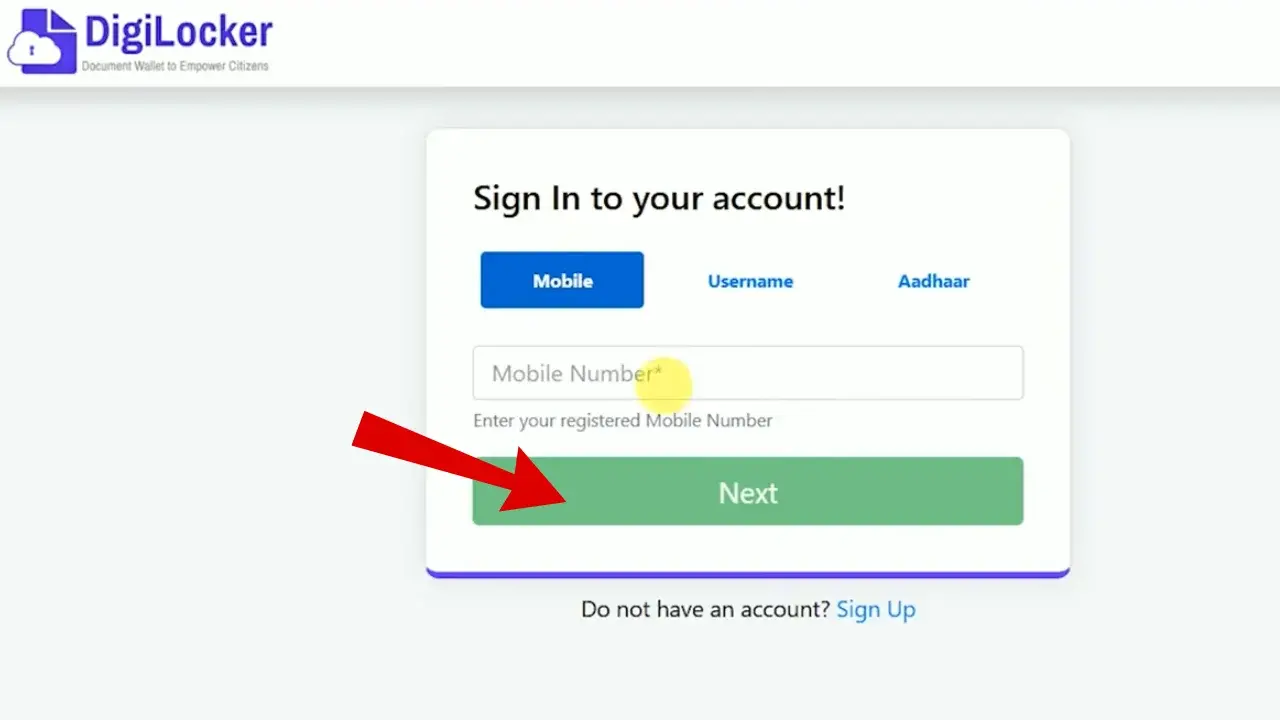
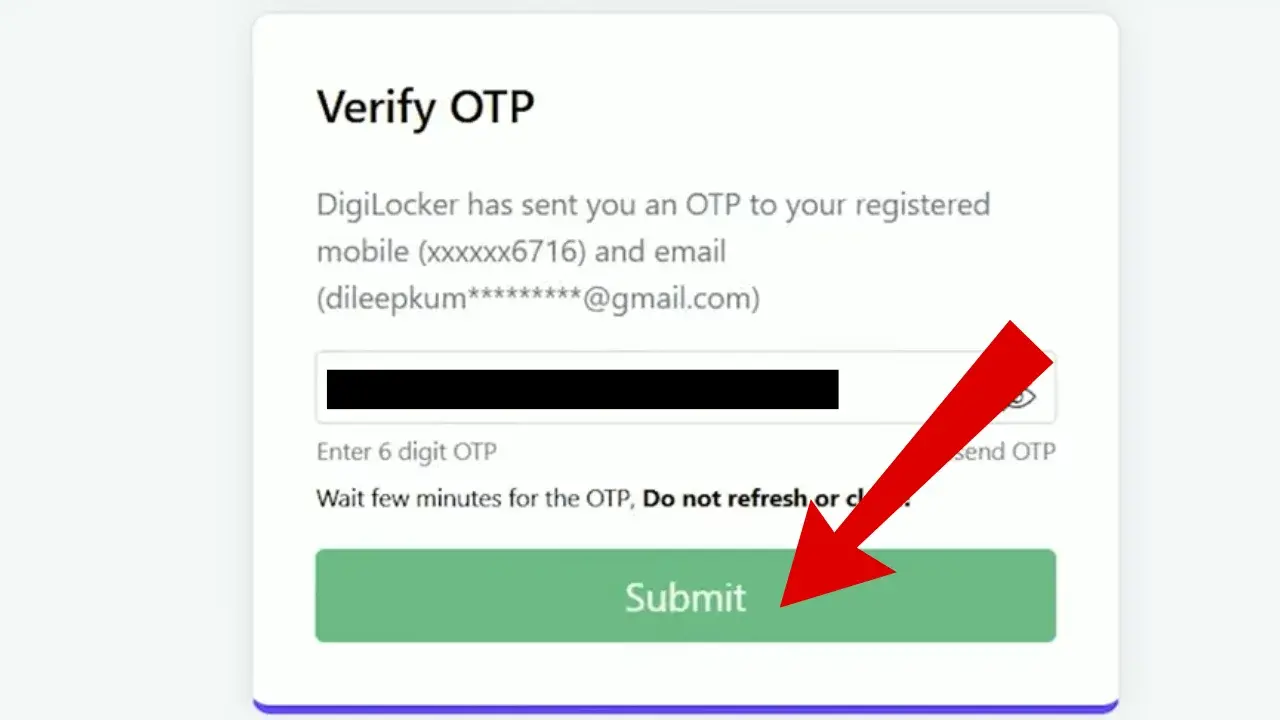
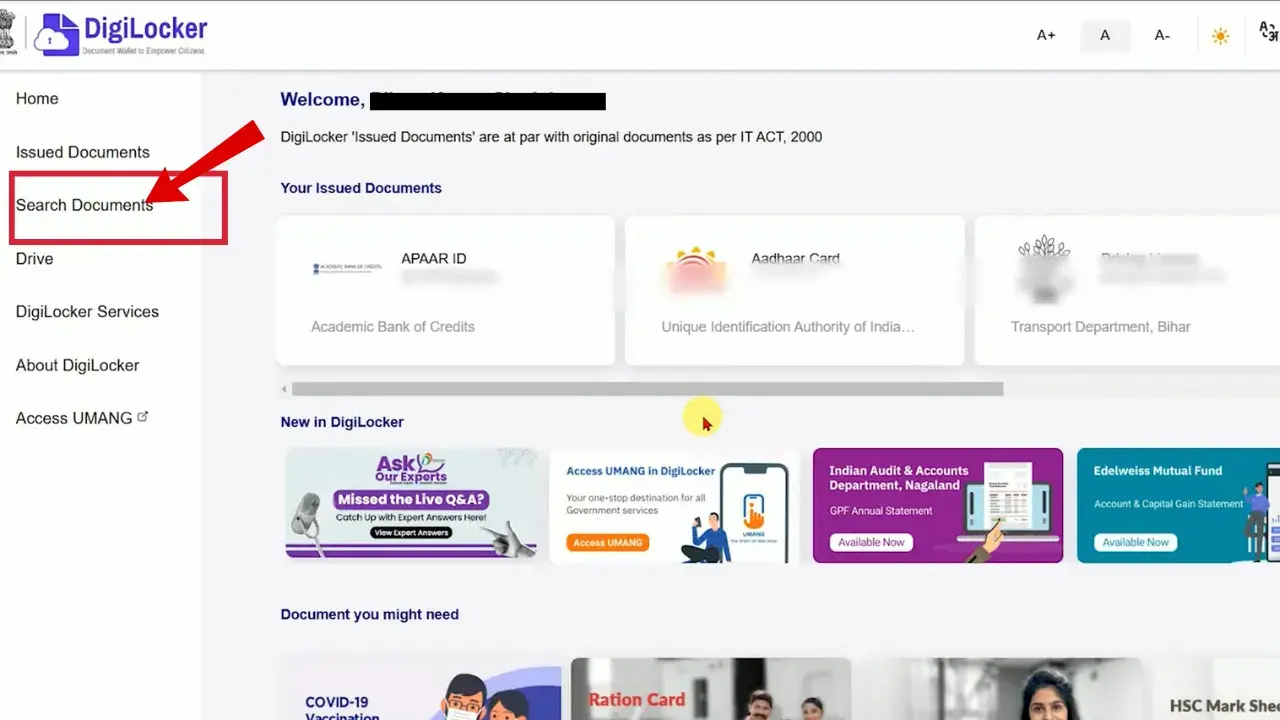
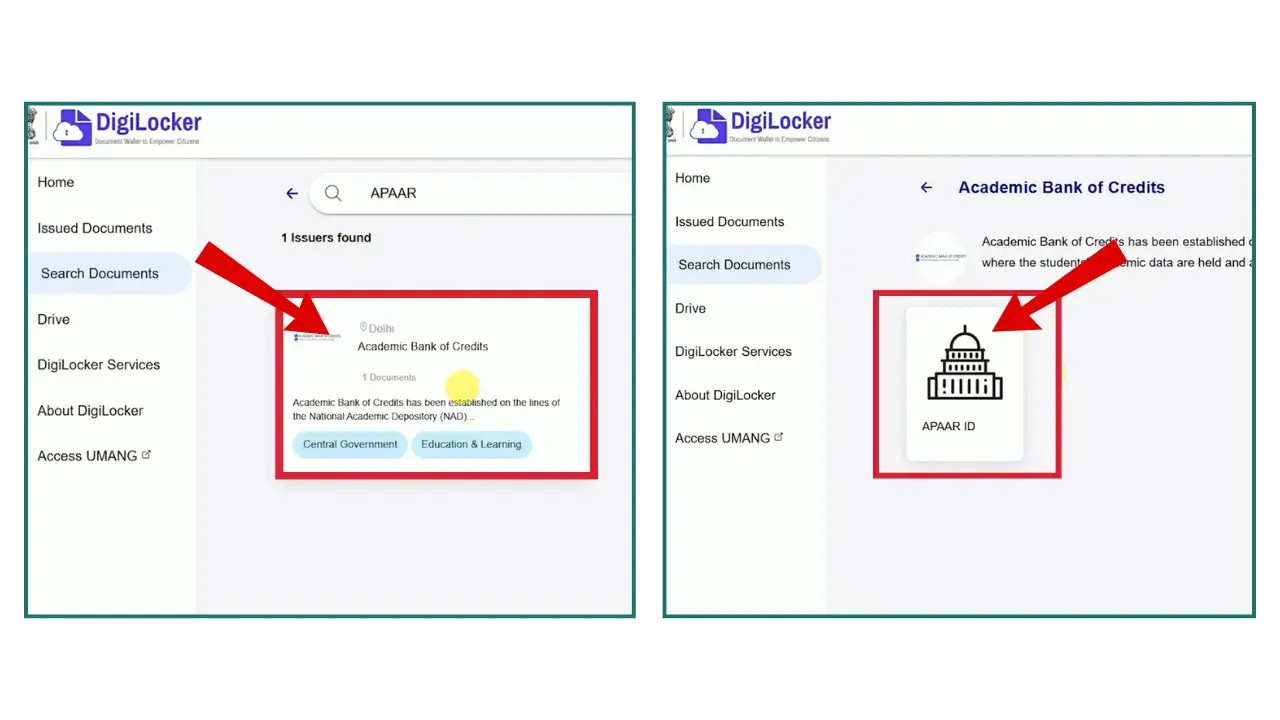
- After signing in, In the “Search Document” tab type “APAAR”, click on “Academic bank of credits” then click on “APAAR”.
- Fill the form by entering the required details i.e. Identity type, Identity value, Admission year.
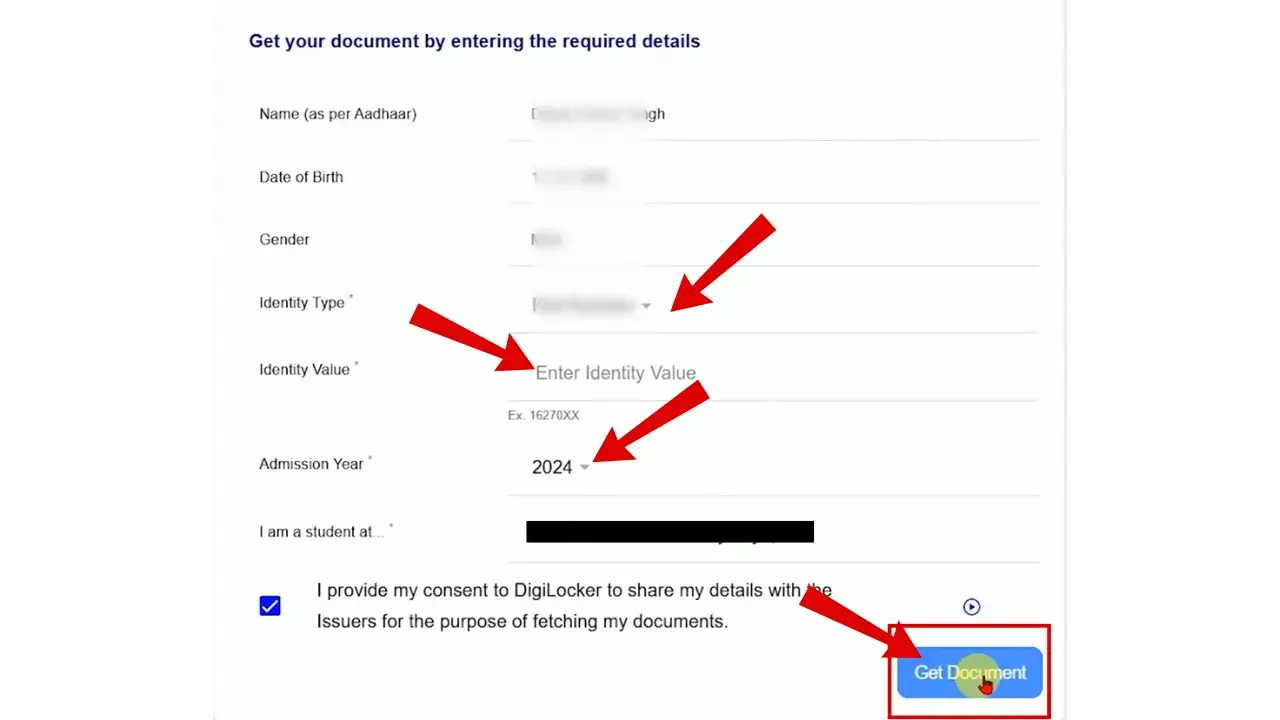
- Identity Type refers to the document or number used to verify your academic record.
You can choose from:- Roll Number
- Enrollment Number
- Registration Number
- Or select New Admission if you don’t have any of these yet.
- Identity Value is the actual number you enter based on the option you selected above.
For example:- If you choose Roll Number, enter your roll number.
- If you select Enrollment Number, enter your enrollment number.
- If you choose New Admission, enter your Aadhaar Number as the identity value.
- Once the details are entered, provide the consent then click on “Get Document“.
Note: If you don’t find your institute name in the list you can also search it.
Also, if you don’t have any identity value you can click on “New Admission” in the “Identity type” option. - Your ID will be generated, you can download your ID in PDF format for future use.
Through ABC Portal
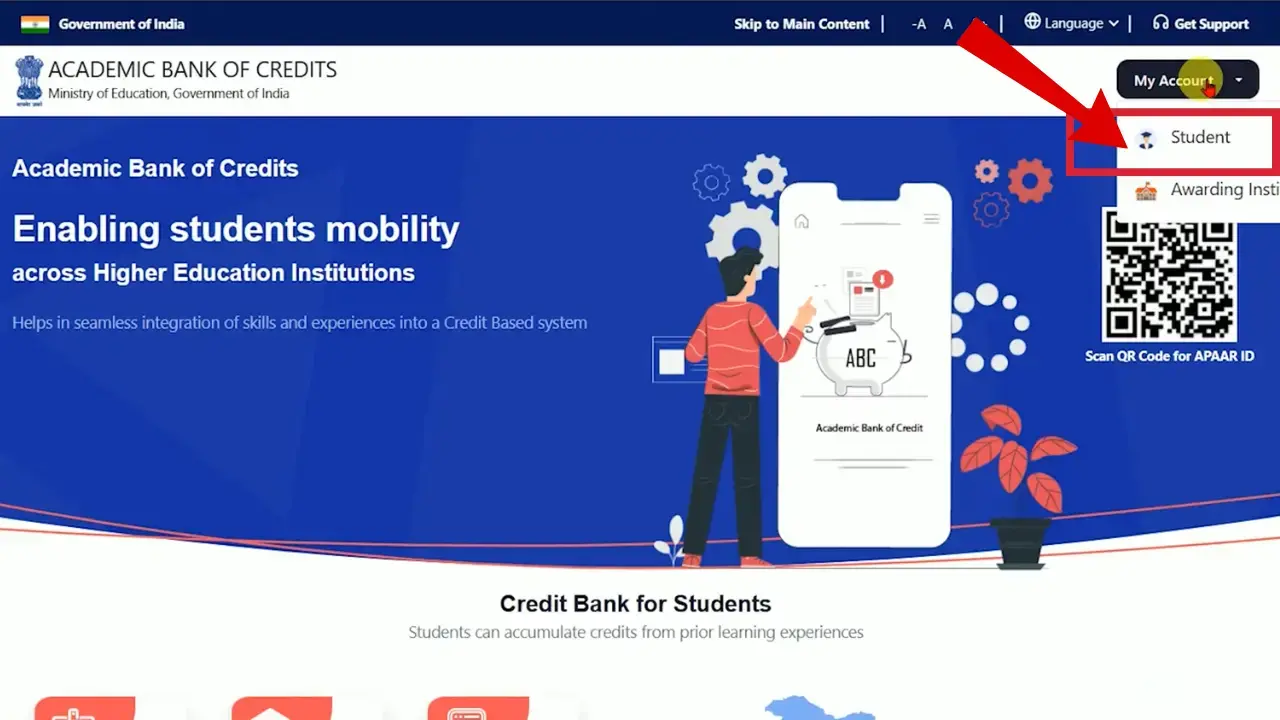
- Go to ABC portal through abc.gov.in.
- Click on “MY Account” and access your account by clicking the “Student” option, A Login Page will appear.
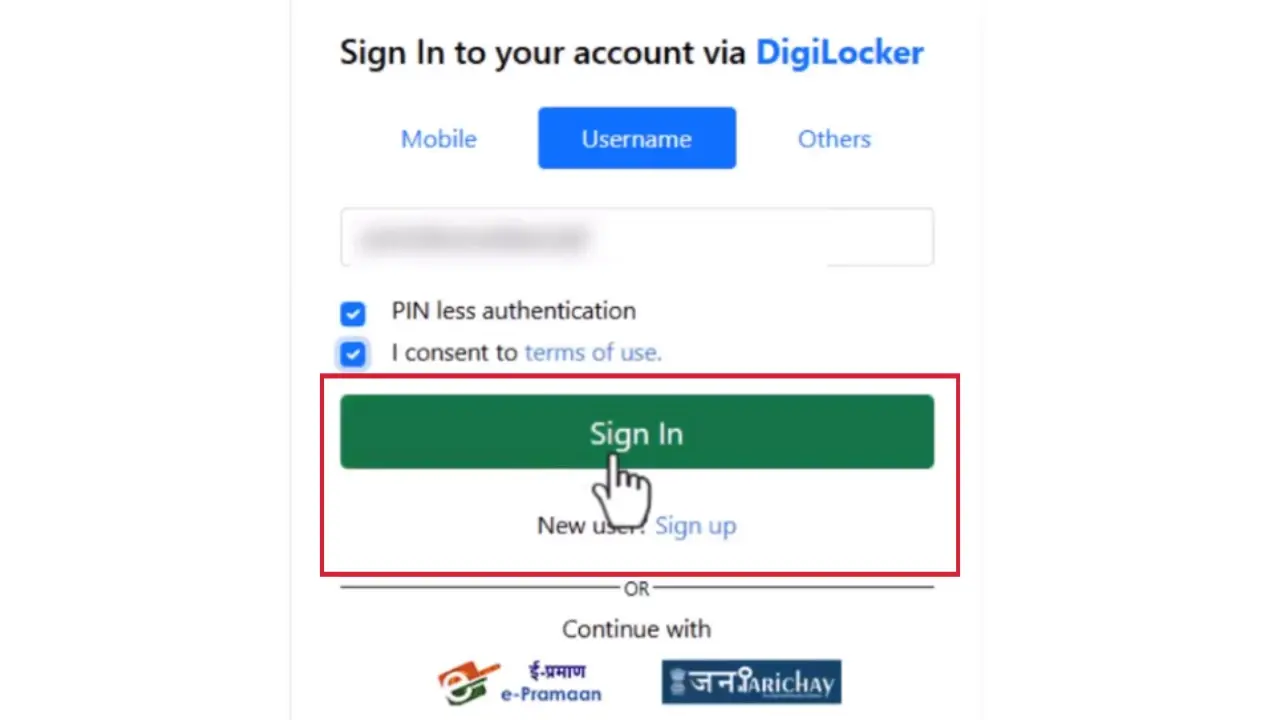
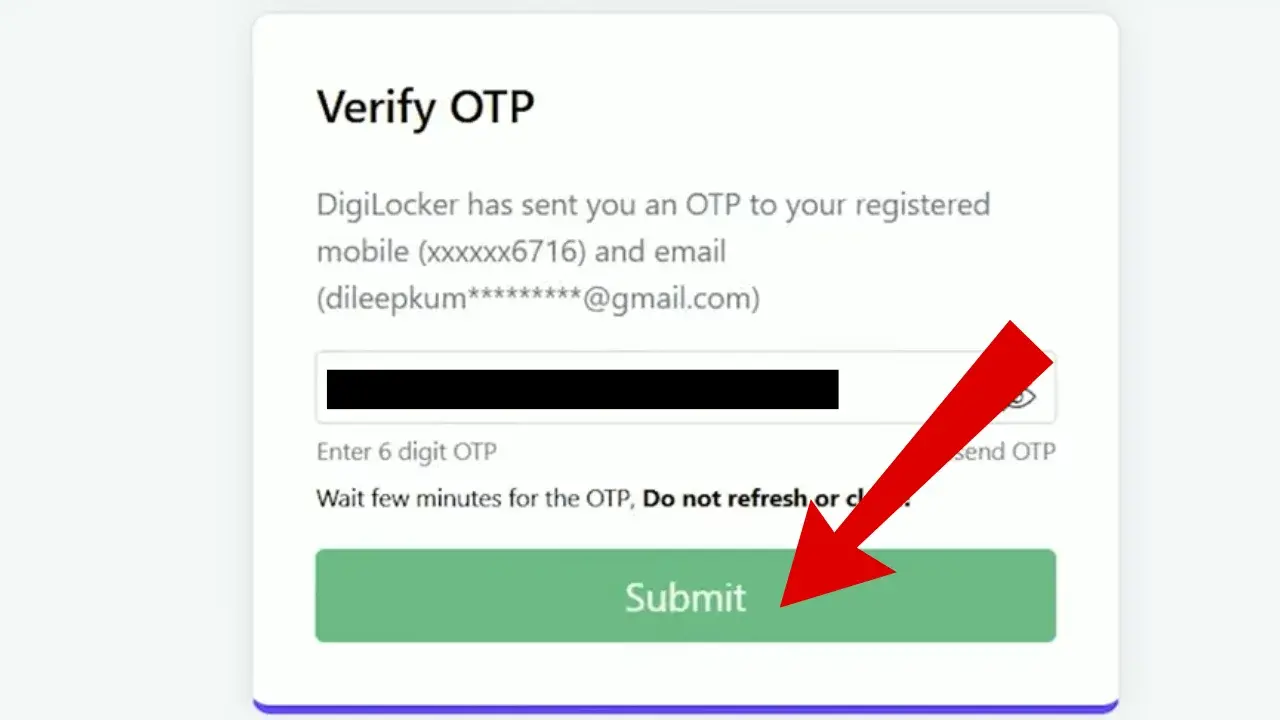
- Use your DigiLocker credentials to login. Accept the Consent by clicking on “I consent to terms of use” and Verify The OTP. (If you are a first time user then you need to “Signup” first).
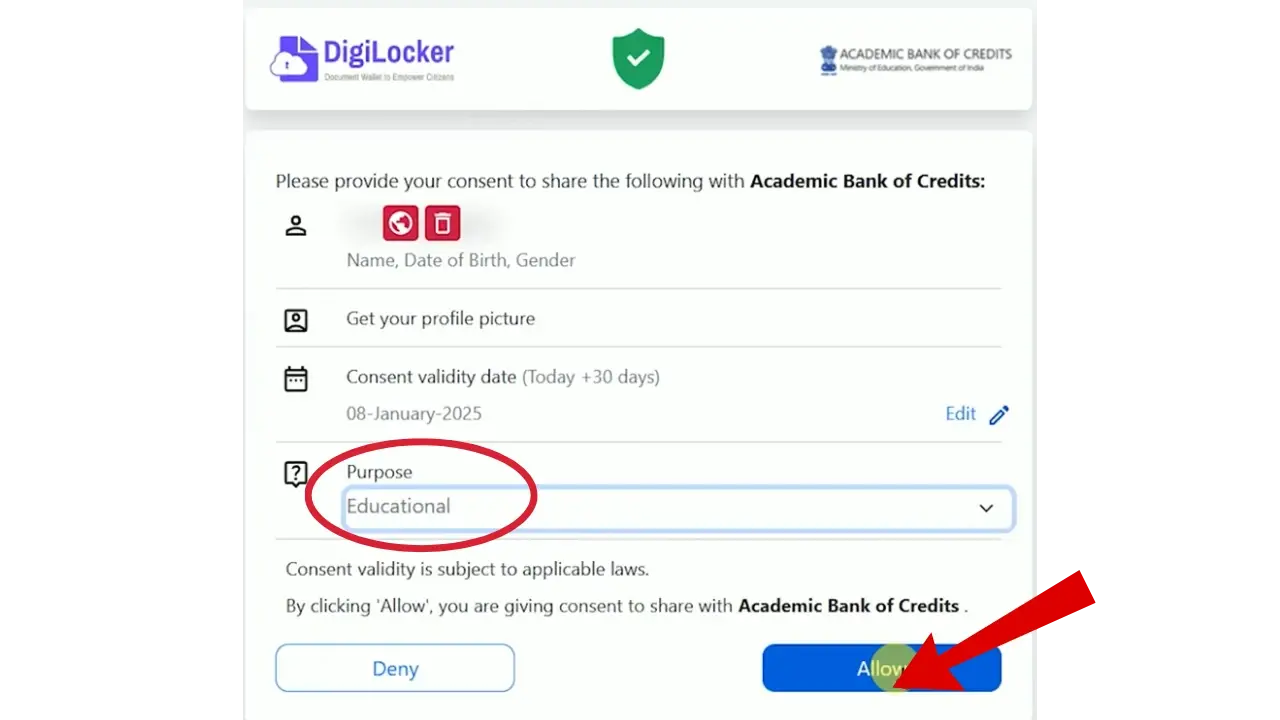
- To share the important information with the Academic bank of credits, DigiLocker will ask for your consent. Since we are making an educational document, select the “Educational” option in Purpose Tab, Click on “Allow”.
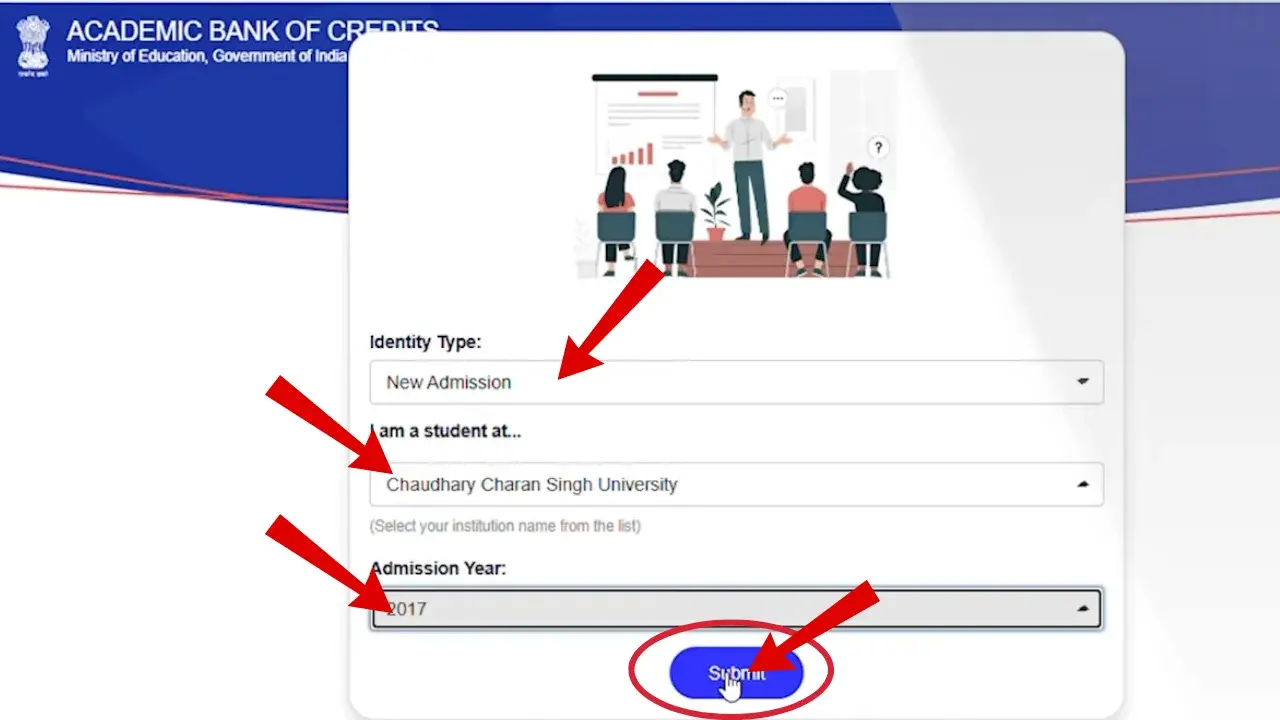
- Fill the form which appears on the screen, You can create it through different options, click on “I am a student” at then select the “Institute”, Select Year of admission and click on “Submit”.
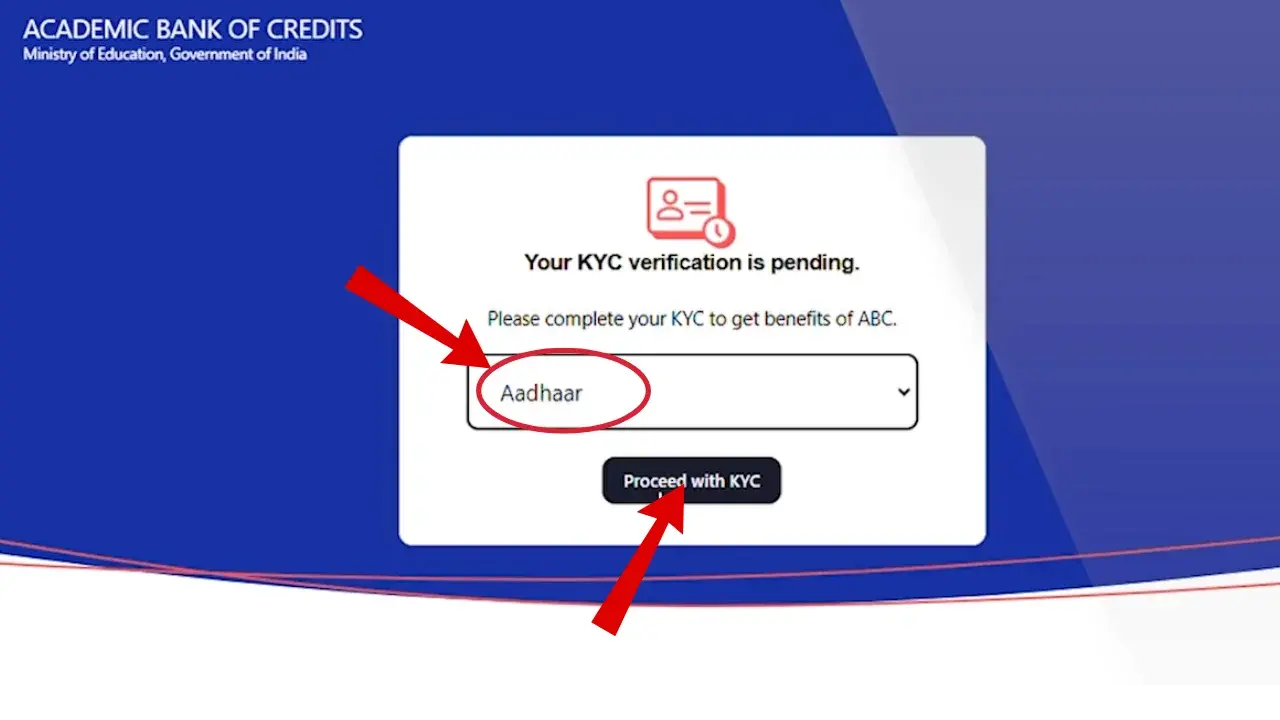
- After submitting the form, you need to provide KYC verification, choose Aadhaar from the list as it is easily accessible and then proceed.
- Again fill your Aadhaar number and “verify“.
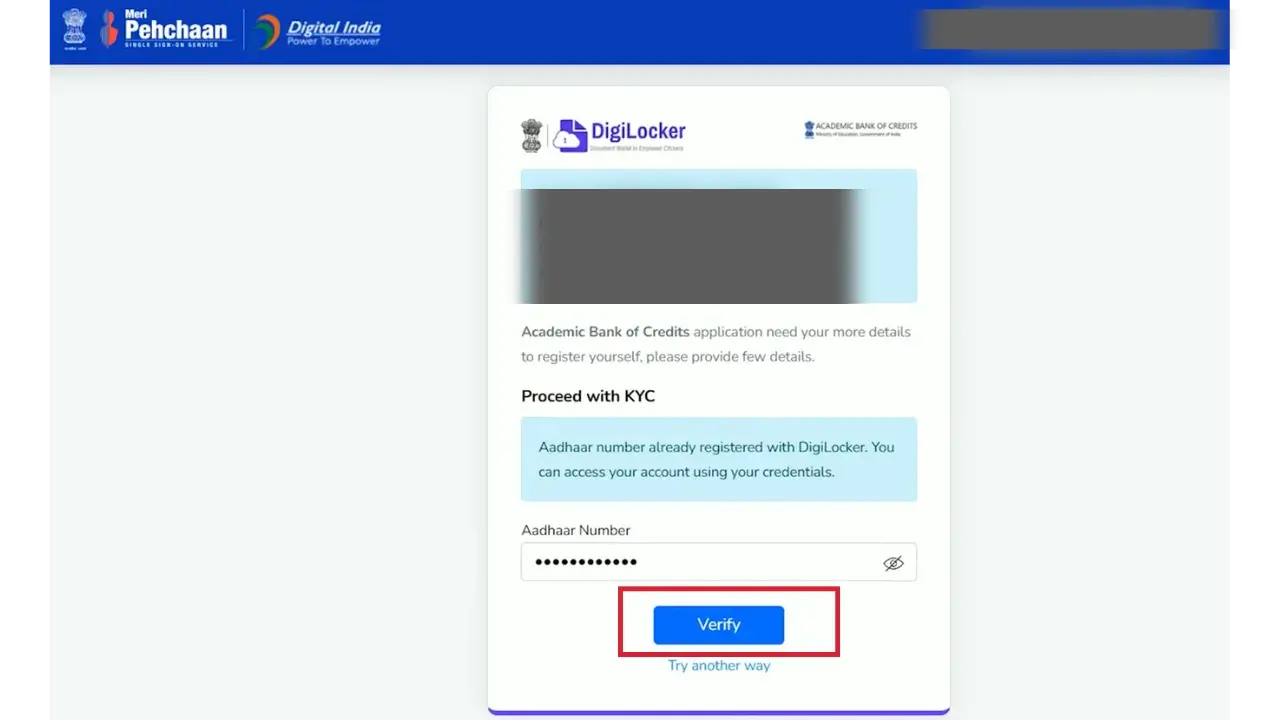
- By Following these steps, your ID will be generated.
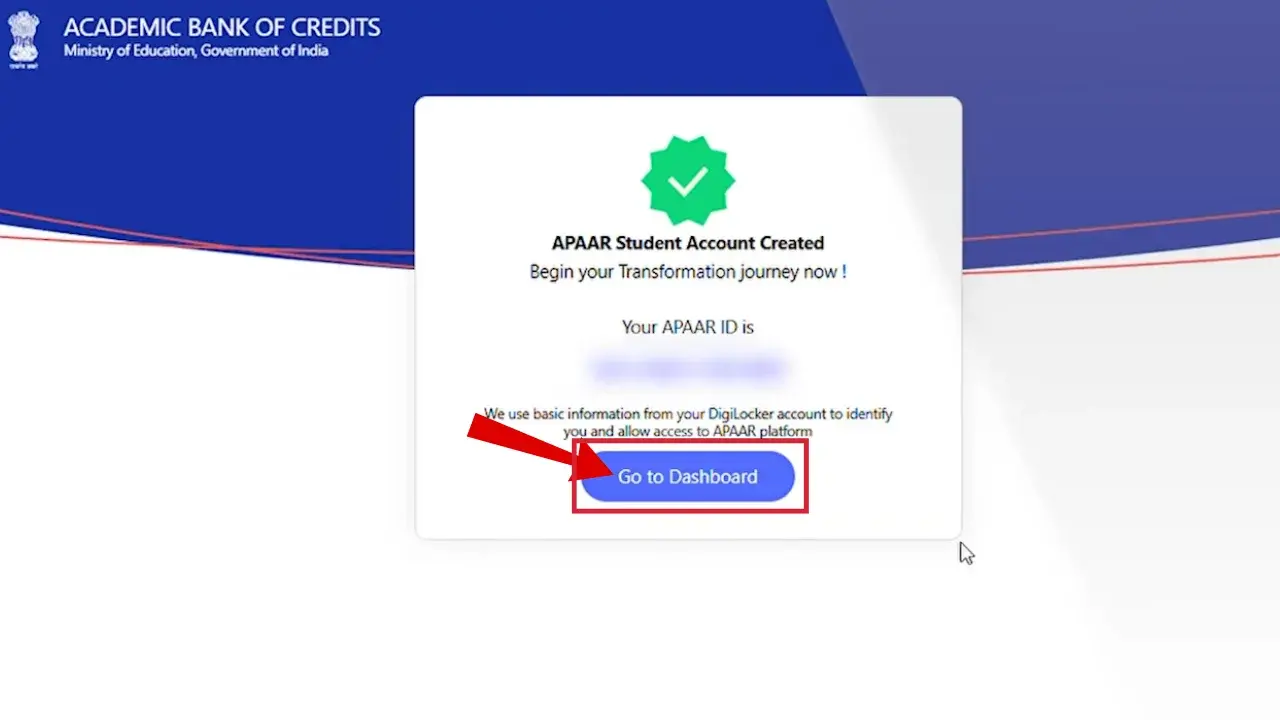
- A profile will be created on the ABC portal where you can see all the important Details.
- You can Download it through DigiLocker.
Key Features of APAAR ID
Lifelong Identity
This 12-digit unique ID serves as a lifetime digital wallet to store important details of students.
Authenticity of Records
Since the records are linked to Academic Bank of Credits whenever a student earns credits they will be added to the ABC bank, so there’s no chance of credit loss or fraud.
Centralized Academic Records
All degrees, certificates, results, mark sheets, and scholarships are stored in one place.
Credits accumulation and transfer
Credits can be accumulated digitally, and they can be transferred from one school, college, or even university to another.
Benefits of APAAR ID
Contact Details
Contact | Details |
|---|---|
Toll-Free Helpline | 1800‑889‑3511 |
Official Portal |
FAQs